
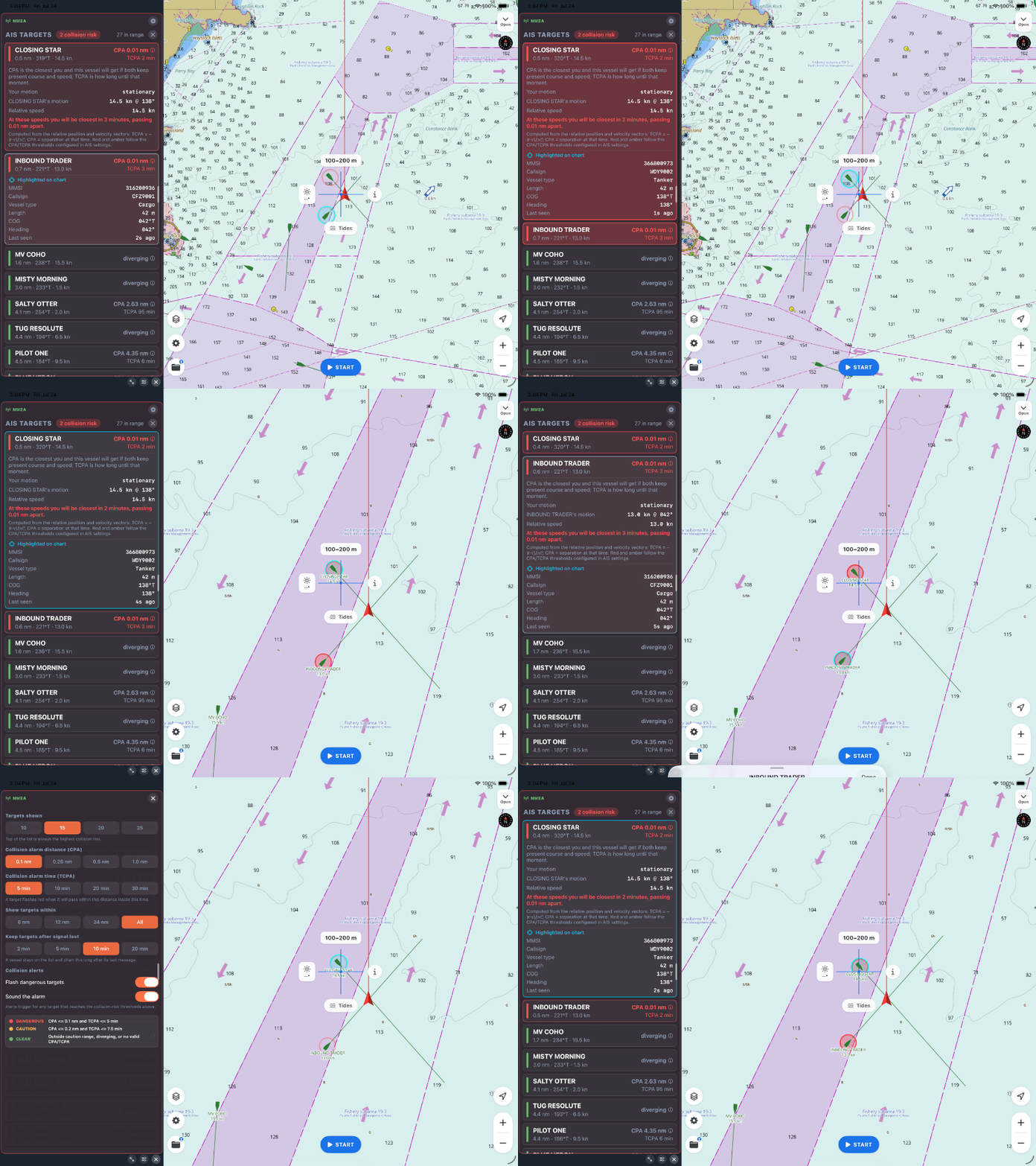
A screen full of AIS targets can be strangely unhelpful. On a busy afternoon you might see a dozen vessels around you, all moving, and the honest question isn't "where is everyone" — it's "which of these do I need to do something about, and how soon?" A list of ships doesn't answer that. Two numbers do.
SeaVectors is built around those two numbers. It takes the AIS traffic near you, works out how each vessel's path crosses yours, and sorts the whole picture so the one that matters is at the top. Here's how to read it — and how to make it warn you before a situation develops.
The 30-day free trial includes the complete experience, so you can connect an AIS source, tune the warning thresholds for your waters, and see how SeaVectors prioritizes real traffic before deciding whether to subscribe.
- Download SeaVectors on the App Store
- Get SeaVectors on Google Play
- Not ready to install? Open the lightweight web chart for a quick preview.
CPA and TCPA: the only two numbers that matter
Every moving target has a closest point of approach — CPA, the nearest you and it will get if neither of you changes course or speed. And it has a time to that moment — TCPA, how long until it happens.
Those two together are the whole story. A ship a mile away closing fast on a collision course is a bigger concern than one passing two hundred metres off but already drawing away. CPA tells you how close; TCPA tells you when. A small CPA with a short TCPA is the combination that gets your attention.
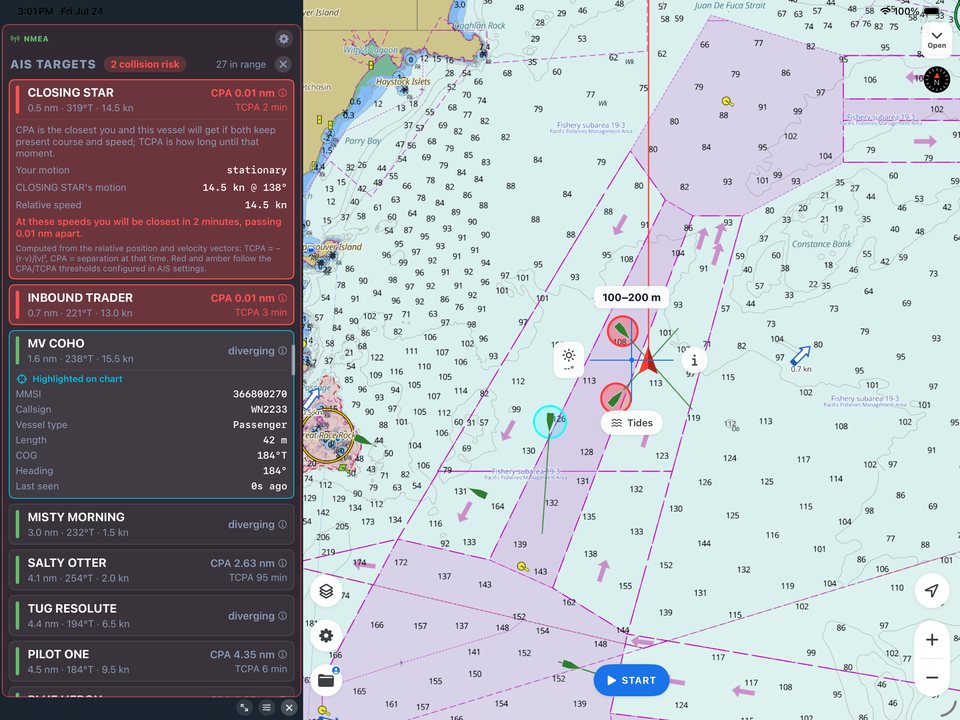
SeaVectors computes both for every target against your own course and speed, and shows them when you tap a vessel — along with its identity, range, and bearing. You stop guessing whether that ship is a problem and start reading the answer.
The list sorts itself by risk
You shouldn't have to hunt for the dangerous target. SeaVectors ranks them for you: the dangerous ones first, soonest first, then the ones worth watching, then everyone else by distance. Glance at the top of the list and you're looking at the vessel that most deserves your attention.
Behind that ranking is a simple, familiar idea — a guard ring in tiers. A target that will breach your close thresholds is flagged dangerous and shown in red. One approaching those thresholds is caution, in amber. Everything passing wide or drawing away is clear. Say the colors out loud when you're learning it: red means act, amber means watch.
It warns you — even when you're not looking
The best safety features work when your attention is elsewhere, which on a boat is often. When a target crosses into the dangerous tier, SeaVectors raises a flashing alert on the chart and, if you switch it on, an escalating audible alarm. Single‑handed, at night, or heads‑down sorting a sail, that alarm is the thing that gets your eyes up while there's still plenty of time and sea room to make an early, obvious course change.
Tune it to your waters
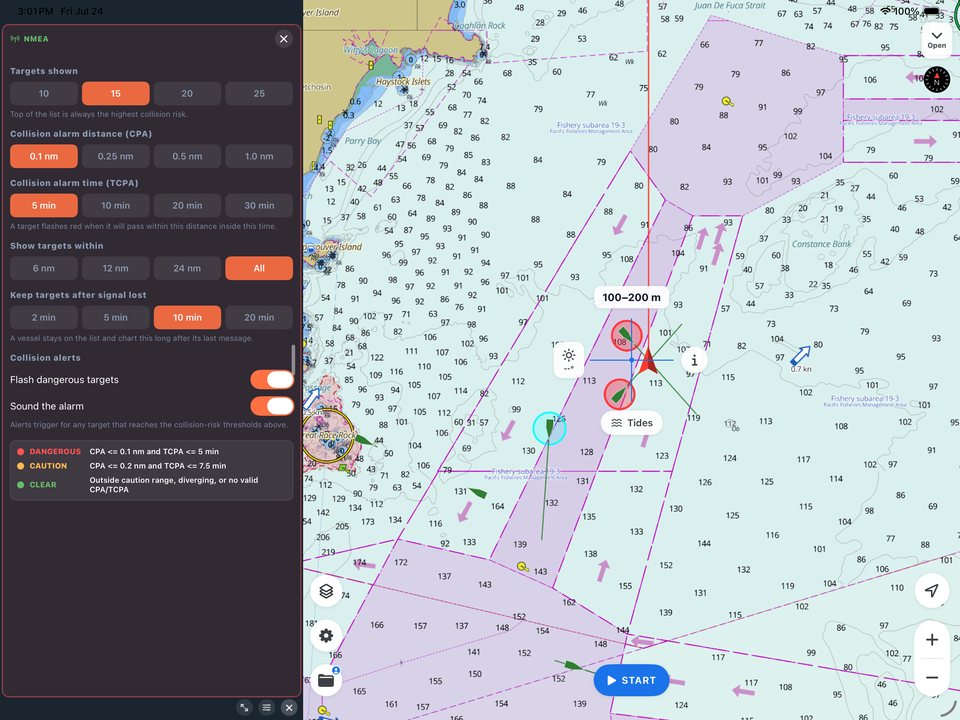
Defaults are a starting point, not a rule. The thresholds are yours to set: how close counts as dangerous, how soon counts as dangerous, how many targets to track, and how far out to bother. The right settings depend entirely on where you are.
Offshore, widen the CPA and lengthen the TCPA so you get early warning with room to maneuver. In a tight, busy harbor, tighten them and cap the range — otherwise every ferry passing two hundred metres away trips an alarm you don't need. And for any passage where you might not be glued to the screen, turn the sound on. The flashing alert alone is easy to miss.
One thing AIS won't do
AIS only shows vessels that transmit it. Plenty of small craft, and anything without a transponder, simply won't appear — which is why AIS is an aid to a proper lookout, never a replacement for one. Use it to sharpen your watch, prioritize the traffic you can't eyeball, and buy yourself time. Then keep looking out the window.
Why it matters
Collision avoidance is a time game. The earlier you identify the vessel that's a problem, the smaller and calmer the correction needed to stay clear. SeaVectors turns a crowded AIS picture into a ranked, quantified, self‑announcing one — CPA and TCPA on the target that matters, a warning before it's close, all on your official ENC chart.
That's AIS doing what it's actually for: not showing you every ship, but showing you the one to watch, and giving you the time to handle it well.
Start your 30‑day free trial on the App Store. For thresholds and setup, see our full AIS & Collision Awareness guide.